Retail video projects often begin with a simple question: how many cameras will the recorder support? For a modern store, channel count is one part of the specification. The recorder may also need to process AI workloads, accept existing cameras, store footage, and connect with retail applications. Asking an NVR manufacturer the right technical questions before purchasing can reveal whether the proposed system matches the deployment.
Start With Channel Capacity, but Ask What “Channel” Means
A channel generally refers to one camera stream accepted by a recorder. However, a quotation may mention channel capacity without explaining the conditions behind that number.
Clarify whether stated performance metrics cover connected camera streams, selected resolutions, or specific compression. Also confirm whether every channel supports continuous recording while other services run. These details matter—retail deployments typically span entrances, aisles, checkouts, and stockrooms.
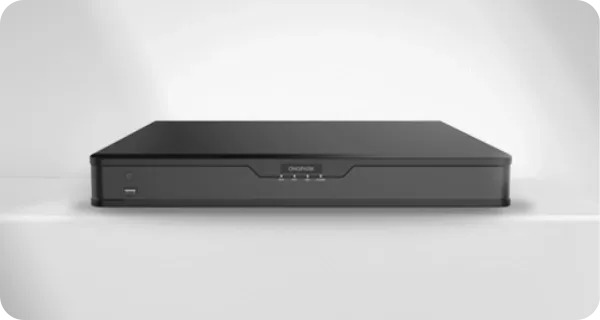
The OVOPARK NVR range distinguishes between standard recording capacity and AI processing capacity. The range is listed in 8-, 16-, and 32-channel configurations, while its AI NVR is described as handling up to eight high-definition full-motion video streams.
Ask How Video Channels and AI Channels Are Allocated
Video input capacity and AI processing capacity are not necessarily the same thing. A recorder may accept several camera streams while supporting a smaller number of simultaneous AI algorithms.
Ask how many camera streams can be connected, how many can be recorded, and how many can run the requested AI functions at the same time. Also ask whether enabling an AI task changes available recording or viewing capacity.
The recorder can accommodate up to eight network camera channels and connect up to six algorithm channels. Buyers should request separate figures instead of treating “eight-channel” as a complete description of processing capacity.
What AI Workloads Can the Recorder Actually Run?
“AI processing” can describe very different workloads. A supplier should identify the specific algorithms supported by the proposed recorder rather than using AI as a general product label.
For retail applications, ask whether the device supports people counting, object recognition, behavior analysis, or other functions required by the project. Also clarify whether these algorithms run at the edge on the recorder, require a separate server, or depend on cloud processing.
The AI NVR from OVOPARK is positioned as an edge AI server for existing cameras, with applications including object recognition, behavior analysis, and security. The unit also integrates with the company’s cloud platform for store inspections, traffic analysis, and operation insights.
How Will Existing Cameras Connect?
A retail operator may already have a large investment in cameras. Replacing compatible devices simply to introduce AI functions may not fit the project budget or migration plan.
Ask the NVR manufacturer which camera standards and streaming protocols are supported. Existing cameras can be added through the Open Network Video Interface Forum (ONVIF) protocol, and Real Time Streaming Protocol (RTSP) is also supported. Power over Ethernet (PoE) support is listed for the relevant NVR configuration.
Compatibility should still be checked against the exact camera models in the store. Ask for a tested-device list, integration conditions, and any feature limitations with third-party cameras.
Where Should Processing Happen?
AI processing location affects architecture, bandwidth, and management. Edge processing takes place close to the video source, while cloud processing sends data through a network connection to remote infrastructure.
Ask what happens if cloud connectivity is interrupted. Can recording continue? Can AI events still be generated? How are alerts and data synchronized after the connection is restored? These questions matter for distributed retail networks with different network conditions.
What Should Be Asked About Storage and Playback?
AI capability receives attention during procurement, but recording remains a central NVR function. Ask how storage capacity is calculated, which recording modes are supported, and how long footage can be retained under the planned camera configuration.
Playback requirements also deserve attention. Retail teams may need to find footage associated with a particular time, location, or event. The NVR solution from OVOPARK is described as supporting centralized camera management, secure storage, and playback of surveillance footage.
Calculate the retention period, camera resolution, recording schedule, and number of active channels together before selecting storage hardware.
How Does the NVR Fit the Inspection Camera Layer?
The recorder should be considered within the complete store-inspection architecture. A fixed camera may monitor an aisle or counter, while a high-speed dome can cover a broader area. The NVR then provides a central layer for video management and, in an AI configuration, video analysis.
The company’s store inspection range includes a 1080p HD fixed turret camera designed for approximately 30–50 square meters, plus a 4-megapixel high-speed dome covering approximately 100–150 square meters with 23x optical zoom and a 360° panoramic view.
These camera choices affect the streams entering the recorder, so camera selection and NVR capacity should be planned together.
A Better Procurement Conversation With an NVR Manufacturer
A supplier discussion should produce more than a headline channel number. Ask for separate figures covering camera inputs, recording capacity, concurrent AI workloads, supported algorithms, protocol compatibility, storage, and integration requirements.
For retailers considering a retail surveillance camera deployment, this information provides a clearer technical basis for comparing proposals. A manufacturer that can map those specifications to the actual camera count, AI use cases, and store environment gives the project team a more complete picture before equipment is ordered.
